
Screenshots
App details
- Updated
- Mar 27, 2006
- Language
- English
- Developer
- Green Point Software
- Category
- Mobile
SoftPas in:
This product is also available in the following languages:
About CD Box Labeler
Download CD Box Labeler – CD cover designer, CD label maker, music collection organizer, CDDB integration, custom CD labels, personalized CD covers, image editing for CDs, font customization, music metadata tool, CD booklet creator
Overview
CD Box Labeler is a productivity-focused software tool designed to transform the way users organize and personalize their physical music collections. Its primary purpose is to simplify the creation of custom CD covers, labels, and booklets, turning generic sleeves into visually appealing, professionally styled designs. By integrating personal images, customizable text, and font options, the application enables users to craft unique identifiers for each CD, enhancing both aesthetic appeal and functional organization.
For music enthusiasts, collectors, and archivists, CD Box Labeler addresses the common challenge of maintaining a well-structured and visually consistent library. Handwritten labels often fade, smudge, or lack uniformity—this tool eliminates those issues by offering a digital, repeatable, and scalable solution. The integration with the CDDB online database adds a layer of automation, allowing users to automatically retrieve accurate song titles and metadata, significantly reducing manual data entry.
Target users include hobbyists managing large music collections, home studio producers, DJs, and anyone who values the tactile experience of physical media but seeks digital-level organization. Although the developer, CD Box Labeler, did not provide additional background information, the app’s longevity since its release in 2006 suggests a stable and dedicated user base. In the broader software ecosystem, it fills a niche for offline, lightweight tools that prioritize usability over cloud dependency, making it a relevant utility even in today’s digital-first environment.
Key Features & Functionality
- Custom Designs: Users can create personalized CD covers and labels by combining their own images with text elements. The software supports multiple font styles, allowing for aesthetic flexibility to match individual preferences or collection themes.
- Image Editing Tools: Basic image modifications such as cropping, resizing, and color adjustments are available directly within the application, enabling users to refine visuals before printing.
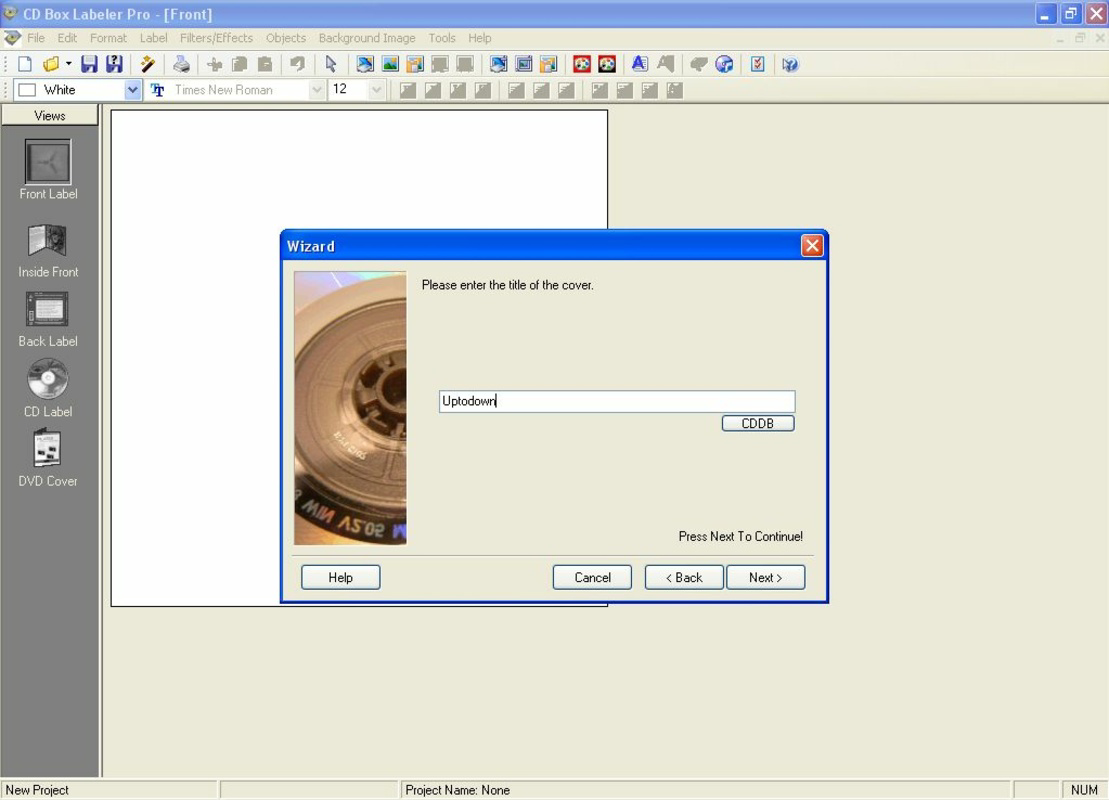
- CDDB Database Access: The tool connects to the CDDB online database to automatically fetch song titles, artist names, and track listings, reducing the need for manual input and minimizing errors.
- User-Friendly Interface: Designed with intuitive navigation, CD Box Labeler ensures that users of all technical skill levels can create and print labels without prior experience in graphic design.
- Multiple Cover Formats: The application supports various standard CD and case sizes, ensuring compatibility with different packaging types and enabling precise layout alignment.
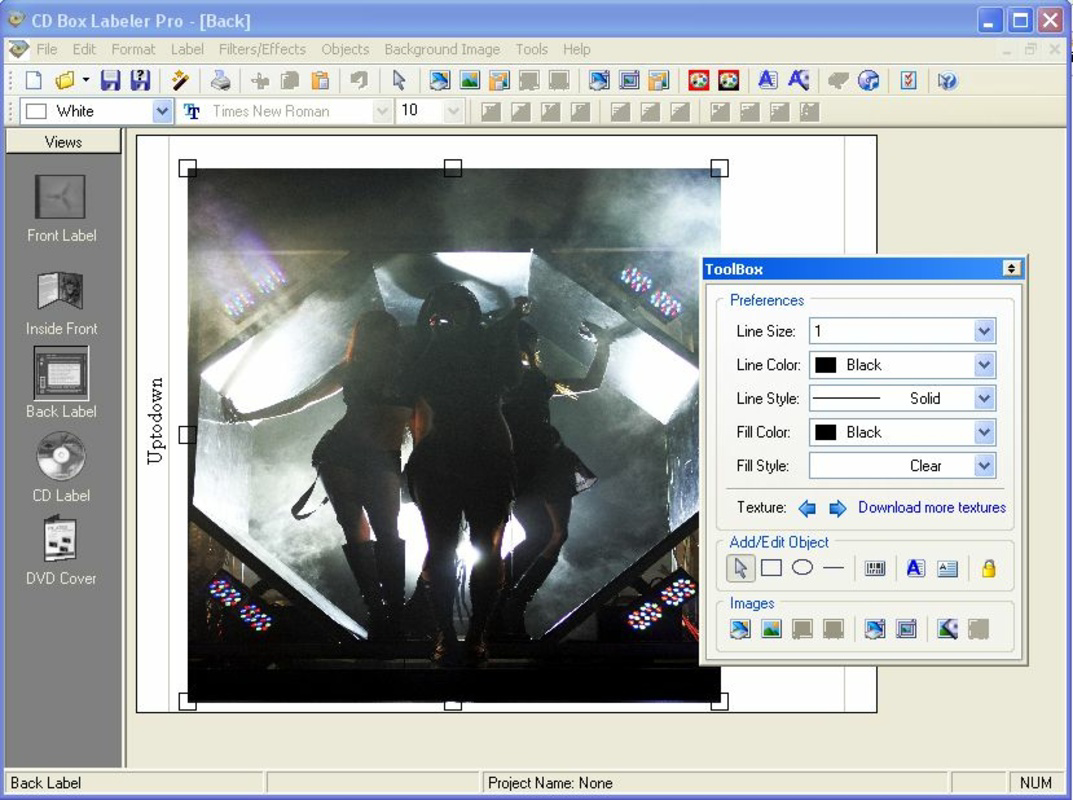
For example, a collector can insert a high-resolution photo of a concert, overlay it with a custom title in a retro font, and use the CDDB feature to auto-fill a full track listing—all within a single workflow. This streamlines the process of cataloging a music library, especially when managing hundreds of discs. The ability to save templates also enhances efficiency for recurring projects, such as labeling a series of compilation CDs.
Interface, UX & Performance
CD Box Labeler features a clean, minimalistic interface with clearly labeled toolbars and layout panels. The visual design prioritizes function over ornamentation, making it easy to locate key features such as image upload, text editing, and database sync. Navigation is linear and predictable, with a step-by-step workflow that guides users through design creation, metadata retrieval, and print preparation.
Although the developer did not list formal performance metrics, the application’s lightweight footprint of 1.8 MB suggests efficient resource usage. It is likely optimized for older Windows systems, which aligns with its release date in 2006. The software appears to load quickly and respond promptly during design tasks, with minimal lag during image processing or text input.
Stability is implied by its long-standing presence in the productivity niche. Users can expect consistent performance across different device categories, particularly those running compatible Windows versions. Responsiveness remains adequate for standard tasks like image manipulation and layout adjustments. However, specific compatibility with modern Windows versions was not disclosed.
Platform Compatibility & Technical Requirements
CD Box Labeler is designed for the Windows platform. The current version is 2.0, with a file size of 1.8 MB. This small footprint indicates a lightweight, non-resource-intensive application suitable for older or low-spec systems.
The developer did not specify minimum OS requirements, nor did they provide information about compatibility with newer Windows versions such as Windows 10 or 11. As a result, users should exercise caution when installing on modern systems. The lack of detailed technical specifications limits definitive assessment of cross-platform usability.
For users seeking to install or update the software, it is recommended to verify system compatibility before proceeding. While the app may function on current systems through compatibility modes, this is not guaranteed.
Pros and Cons
Pros
- Lightweight design with minimal system resource usage (1.8 MB file size).
- Intuitive interface suitable for users with no design experience.
- CDDB integration enables automatic retrieval of accurate music metadata.
- Supports multiple CD cover and label formats for diverse packaging needs.
- Offers basic image editing tools for on-the-fly customization.
Cons
- Platform limited to Windows; no information on availability for macOS or Linux.
- Release date of 2006 raises concerns about modern OS compatibility.
- Developer did not provide details on update frequency or future support.
- File size and age suggest limited modern feature set.
- Compatibility with current Windows versions was not confirmed.
FAQ
Is CD Box Labeler available for free?
CD Box Labeler is not a free application. It is offered for a one-time purchase price of $24.95.
Can I use CD Box Labeler on Windows 10 or 11?
The developer did not specify compatibility with Windows 10 or 11. While the app may run using compatibility mode, this is not guaranteed.
Does CD Box Labeler support Mac or Linux?
There is no information indicating that CD Box Labeler is available for macOS or Linux systems.
How do I update CD Box Labeler?
The developer did not provide details on update mechanisms or release schedules. Users should check the official source for any available updates.
Is the CDDB database connection secure?
CD Box Labeler accesses the CDDB database over the internet. While the software itself does not collect user data, users should ensure their internet connection and system are protected when using online features.
Final Thoughts + CTA
CD Box Labeler remains a niche yet valuable tool for users who value the physicality of CD collections and seek a structured, personalized way to organize them. Despite its age and limited modern updates, its core functionality—custom CD design, metadata integration, and image editing—remains relevant for music archivists and enthusiasts. The combination of intuitive design and practical features makes it accessible even to non-technical users.
While platform and compatibility limitations are notable, those working within the Windows ecosystem and managing physical media collections will find significant value in its streamlined workflow. For anyone looking to upgrade their CD labeling process from handwritten notes to polished, professional-grade designs, this tool delivers tangible benefits.
Download CD Box Labeler now
Guides & Tutorials
How to install CD Box Labeler
- Click the Download button above.
- Once redirected, accept the terms and click Install.
- Wait for the CD Box Labeler download to finish on your device.
How to use CD Box Labeler
This software is primarily used for its core features described above. Open the app after installation to explore its capabilities.
User Reviews
No reviews yet. Be the first to share your experience.
You may also like
more
Que no te pillen¡
About !Que no te pillen¡Reviewed by Jason A. BilbreyShow MoreShow Less

3D Combat Zone
About 3D Combat ZoneOriginally released in 1983, 3D Combat Zone immerses players...

666: El día del portal
About 666: El día del portalOn June 6, 2006, Agent P. Stone uncovers a sinister...

80 in 1 Best Flash games
About 80 in 1 Best Flash games 80 in 1 Best Flash games is a collection of 80 fl...

ABYSS SEEKERーーWhat Do You See Deep in The Abyss
About ABYSS SEEKERーーWhat Do You See Deep in The AbyssIn ABYSS SEEKER, players...

ACA NEOGEO THE KING OF FIGHTERS 2002 for Windows
About ACA NEOGEO THE KING OF FIGHTERS 2002 for WindowsTHE KING OF FIGHTERS 2002,...